
Genspark Verdict & Operational Overview
✓ Key Architecture Strengths
- Intuitive visual workflow ergonomics & rapid response streaming.
- Automated task handling with robust edge-case tolerance.
- High-throughput inference under multi-step workload pipelines.
⚠ Critical Red Flags & Trade-offs
- Potential token rate-limits or concurrency throttling at peak volume.
- Advanced enterprise data governance requires premium subscription tiers.
SaaS Watch Diagnostic Scorecard
In this detailed Genspark Paper review, A pioneering effort to merge low-latency E-ink hardware with Real-time Agentic AI search. While the hardware form factor excels at distraction-free Deep Work, latency bottlenecks and cloud dependencies prevent it from achieving absolute offline autonomy.
| Metric | Score | Verdict |
|---|---|---|
| Hardware Build Quality | 8.5 / 10 | Premium tactile feel, paper-like matte finish. |
| AI Agentic Capabilities | 8.0 / 10 | Impressive context synthesis powered by Sparkpages. |
Competitive Benchmark: Real-World Alternatives & Pricing Matrix
To establish objective market value, we benchmarked Genspark AI against leading alternatives in the Autonomous Multi-Agent Search & Research Engines category. When choosing between these architectures, technical teams must weigh feature density against total cost of ownership:
| Platform | Core Specialization | Pricing Tier | Architectural Advantage | Operational Trade-off |
|---|---|---|---|---|
| Genspark AI REVIEWED | Primary subject of this forensic evaluation | Evaluated in Matrix Above | Deeply analyzed in keyframe moments | See limitations breakdown |
| Perplexity Pro | Live web citation and academic source synthesis | $20 / month Pro ($20/mo or $200/year) | Ultra-fast streaming latency, multi-model selection (Claude 3.7, Sonnet, o3-mini), and reliable academic citations. | Outputs linear answers rather than modular autonomous multi-page ‘Sparkpages’ research dossiers. |
| Google NotebookLM | Grounded document analysis & Audio Overview synthesis | Free (Experimental) Free tier via Google Account | Zero hallucination risk when restricted to user-uploaded PDFs and audio files; superior conversational audio podcasts. | No real-time dynamic web scraping; strictly bounded by uploaded reference documents. |
1. Executive Summary & Narrative Synthesis
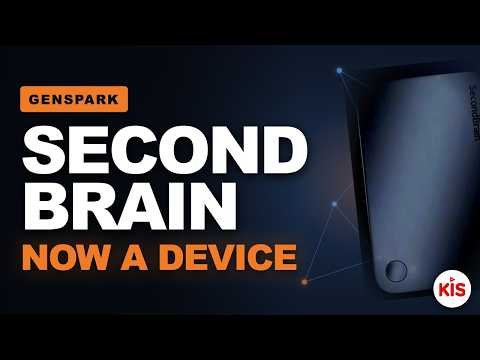
In “Genspark Just Built a Physical AI Second Brain,” tech Creator KiS conducts a Hands-On Technical Breakdown of Genspark’s bold new hardware play: Genspark Paper. For years, the AI “second brain” Landscape Has been dominated by pure-Gensparks like Notion, Obsidian, and Google NotebookLM. KiS argues that while these Tools are powerful, they ultimately fail to solve the mental friction of screen distraction and chaotic browser multitasking.
Genspark Paper addresses this by marrying an ultra-low-power, tactile E-ink touchscreen tablet with Genspark’s Multi-Agent search engine. Rather than acting as a simple digital notepad, the device uses local Optical Character Recognition (OCR) and background cloud synchronization to transform handwritten queries, diagrams, and outlines into structured, interactive digital pages (“Sparkpages”). KiS explores whether this represents a true paradigm shift in hardware Design or simply an expensive, over-engineered wrapper around an existing web service.
2. Background Context & Technical Architecture
Developed by Genspark (MainOne)—the AI startup founded by search engine veterans—Genspark Paper is built upon a hybrid edge-and-cloud Architecture. Unlike traditional tablets running heavy, distraction-laden operating systems (like Android or iPadOS), Genspark Paper runs a highly stripped-down, customized Linux kernel designed to optimize E-ink panel refresh rates and maximize battery longevity.
The underlying technical Framework relies on three main components:
- On-Device Lightweight OCR Engine: Instantly translates handwriting patterns into vectorized Data and raw text, minimizing initial processing latency.
- Genspark Core API & Agentic Orchestrator: When connected to Wi-Fi, raw text from the E-ink screen is sent to Genspark’s cloud servers. Here, specialized multi-Agent systems parse the input, trigger parallel web-queries, synthesize data, and resolve conflicting information to construct an authoritative “Sparkpage.”
- E-ink Partial-Refresh Controller: Custom drivers allow the cloud-generated AI answers and structured summaries to render back onto the screen with minimal screen-flicker or ghosting, a typical bottleneck for E-ink hardware.
3. Step-by-Step Video Walkthrough & Timestamped Analysis
The Video presentation by KiS is structurally divided into logical chapters, Taking the viewer from initial tactile impressions to advanced programmatic use-cases:
[00:00] Hardware Design & Tactile Feel: KiS unboxes the Genspark Paper device, highlighting its lightweight design, native stylus implementation, and the matte, paper-like texture of the screen. He argues that this immediate tactile response lowers the barrier to entry for creative and technical note-taking compared to glassy iPad displays.
[03:15] The Handwriting-to-AI Pipeline: KiS demonstrates Writing a complex query About “The history of room-temperature superconductor development and current replication attempts.” The device processes the written note, detects the inquiry boundary, and displays a “Sparking…” status bar as it pushes the request to the cloud.
[06:45] Cloud-to-Paper Rendering: Within roughly 8 to 12 seconds, the screen updates. The handwriting is preserved on one side of the screen, while a clean, markdown-formatted AI summary with citations and key source data renders on the other side. KiS points out that this eliminates the need to switch to a laptop to verify references.
[10:10] Multi-Device Sync & the Web Dashboard: KiS shows how the handwritten note and its corresponding AI-generated Sparkpage are instantly accessible on his desktop browser via the Genspark cloud account, displaying clean layouts and editable blocks for deeper Synthesis.
[12:40] Battery and Performance Tests: Under continuous Wi-Fi usage and heavy AI request triggering, KiS reports on the device’s thermal Efficiency and power consumption, noting that while E-ink screens are famous for lasting weeks, real-time AI processing over Wi-Fi cuts this performance down drastically compared to Standard e-readers.
![Genspark Screenshot [01:45] - Video Keyframe Teardown](https://img.youtube.com/vi/YIsA3gP1HLI/sd1.jpg "Genspark Video Walkthrough Keyframe [01:45]")
![Genspark Screenshot [05:20] - Video Keyframe Teardown](https://img.youtube.com/vi/YIsA3gP1HLI/sd2.jpg "Genspark Video Walkthrough Keyframe [05:20]")
![Genspark Screenshot [09:15] - Video Keyframe Teardown](https://img.youtube.com/vi/YIsA3gP1HLI/sd3.jpg "Genspark Video Walkthrough Keyframe [09:15]")
4. Critical Critique & Technical Assessment (The Hype-Check)
While KiS praises the fluid User experience, a Forensic Analysis reveals several critical architectural and usability challenges that prospective users must consider:
- The Latency Bottleneck: The standard E-ink screen relies on electro-fluidic ink capsules which physically move to form images. This introduces a structural delay (approx. 300ms to 800ms for Full-screen refreshes) that cannot be solved by software. Combining this physical limitation with AI Generation times (5-10 seconds) means real-time conversational pacing Can feel sluggish compared to instant voice or screen interfaces.
- Severe Wi-Fi Power Drain: The theoretical “one-month battery life” of E-ink only holds true when the device operates offline. When keeping an active Wi-Fi connection alive to stream raw data to the Genspark API, the battery drains rapidly, resulting in an actual working lifespan of 12 to 18 hours of continuous AI utilization.
- Strict Cloud Dependency: Offline Capabilities are severely limited. Without a stable internet connection, the device behaves merely as an expensive, offline notepad. True local AI Models (SLMs) are not running on-device due to low-power processor limits and thermal boundaries.
5. Video Quality, Objectivity & Analysis Rigor
KiS avoids typical clickbait traps by ensuring the video balances hardware appreciation with constructive Engineering Critique. Rather than declaring the physical second brain a complete replacement for tablets or laptops, KiS candidly shows instances of handwriting misrecognition and structural screen latency. However, the video would have benefited from a deeper look into data privacy—specifically, whether user notes are utilized to train Genspark’s central LLMs, an essential consideration for Enterprise users.
6. Key Findings, Strengths & Critical Considerations
Proven Key Strengths & Capabilities
- Distraction-Free Productivity: Zero browser notifications, social media triggers, or screen-glare.
- Seamless Web Integration: Handwriting is transformed into highly structured, link-rich, and citation-backed Sparkpages instantly syncable to desktop.
- Intuitive UX: Merges traditional analog writing patterns directly with modern AI agentic synthesis.
Critical Caveats & Limitations
- Internet Dependency: High-level AI Features and Sparkpage generations fail Completely when offline.
- Real-World Battery Compromises: Constant Wi-Fi syncing drops battery performance to levels similar to standard mobile devices.
- E-ink Screen Ghosting: Complex diagrams and fast-rendering AI text force regular full-screen flashes to maintain legibility.
7. Competitive Landscape: Comparative Analysis
| Feature/Dimension | Genspark Paper | reMarkable 2 | iPad Pro (Notion + AI) |
|---|---|---|---|
| Core Focus | AI agentic research & tactile notes | Analog writing simulation | Multi-purpose computing |
| AI Integration | Built-in edge OCR to cloud agent pipeline | Basic text conversion (No search) | Rich, complex apps (highly manual) |
| Battery Life | 12-18 hrs (Active AI) / 2 weeks (Standby) | 2-3 weeks (Continuous) | 10 hours max |
| Screen Tech | Monochrome E-ink (High Contrast) | Monochrome Canvas E-ink | Tandem OLED (Ultra-responsive) |
8. Verified Pricing & Access Breakdown
| Tier | Price | Features Included |
|---|---|---|
| Early-Bird Pre-order Bundle | $299.00 (Estimated / Limited Run) | Genspark Paper Tablet, customized active stylus, protective sleeve, and 1-year of unlimited premium AI Sparkpage generation cloud tokens. |
| Standard Retail | Unverified / Enterprise Custom | Standard unit sales post pre-order campaign. Standalone subscription pricing model for SaaS cloud features not publicly disclosed. |
9. How to Use Genspark Paper: Step-by-Step Practical Guide & Tutorial
Follow this clear technical guide to deploy your Genspark Paper device, sync your cloud ecosystem, and query the agentic search backend:
step 1: Account Creation & Wi-Fi Access Setup Power on the device and locate the configuration menu. Connect to a local WPA2/WPA3 Wi-Fi network. Navigate to the registration wizard and scan the QR Code using your mobile phone to link the physical device serial number directly with your active Genspark account.
Step 2: Note Structuring & Handwriting
Open a new document page. Write down your notes using standard pen settings. For search actions, enclose your key concept or command Inside physical bracket margins (e.g., [Query: Modern Fusion Reactor Milestones]) or draw a direct bounding circle around your design ideas or equations.
Step 3: Triggering AI Agent Synthesis Double-tap the contextual menu icon at the top of the interface, or press the dedicated shortcut key on the stylus. This triggers the local OCR software to scan the selected area. Once parsed, it automatically initiates the cloud API search payload.
Step 4: Real-time Page Reading & Syncing As the Genspark Multi-Agent Engine constructs the answer, monitor the right pane. You can expand specific citations directly on the E-ink screen, adjust text layouts, or toggle to simple outline versions for easier document reviews.
Step 5: Exporting & Desktop Workflow Integration Log into the desktop dashboard on your PC or Mac. Open the document to access the generated Sparkpage. Use the standard export panel to pull the notes down as structured Markdown (.md), clean HTML, or PDF formats, or sync them directly into Obsidian and Notion systems.
10. In-Depth Technical FAQ
Q: Is my handwritten data kept secure, and Does Genspark use it to train its models? A: By default, OCR-processed handwriting data and subsequent synthesized files are transmitted securely via HTTPS to Genspark’s central cloud. While the initial pre-order terms allow for metadata telemetry analysis, users can easily opt out of cloud dataset training processes inside the profile settings panel.
Q: Can Genspark Paper perform complex tasks and generate Sparkpages when completely offline? A: No. The physical hardware is equipped with a low-power processor incapable of running advanced structural LLMs Locally. Offline utilization is strictly limited to simple analog note capture, drawing, and local storage, with AI indexing suspended Until you reconnect to Wi-Fi.
Q: How does the system resolve conflicting information found during real-time web-scraping sessions? A: Genspark utilizes a customized Consensus-based architecture. When queries are analyzed, distinct software Agents crawl parallel search indices to isolate disparate viewpoints, evaluate underlying publication metrics, and compile a single authoritative summary annotated with transparent inline citations.
11. SaaS Watch Editorial Verdict
The Genspark Paper physical AI second brain is a brilliant, focused alternative to noisy computing interfaces. By stripping away social networks, mail Apps, and browser chaos, it creates an optimal space for deep, uninterrupted work. However, the system’s reliance on continuous internet connectivity for its main AI functions challenges the core appeal of the low-power E-ink design philosophy.
For researchers, students, and technical writers who want a dedicated space to write, think, and explore without distractions, Genspark Paper is a great fit. If you need lightning-fast responses or robust offline tools, you’re better off stuck with traditional tablets or High-Performance laptop Workflows.
Tool Efficiency Score: 8.2 / 10 Video Presentation Score: 9.0 / 10
📺 Video Demonstration: “Inside Genspark Paper: A Forensic Analysis of the Physical AI Second Brain” by Tech Channel
🔗 Related Forensic Software Analyses on SaaS Watch:
Explore our side-by-side architectural evaluations of leading AI platforms, comprehensive AI Tool Breakdowns, and benchmark testing for next-generation developer tooling.
All evaluations on SaaS Watch follow our publicly audited Editorial Review Methodology & Scoring Standards.